Environment: Microsoft 365 Apps for enterprise, Version 2602 (Build 19725.20152 Click-to-Run)
Power Query Editor Settings#
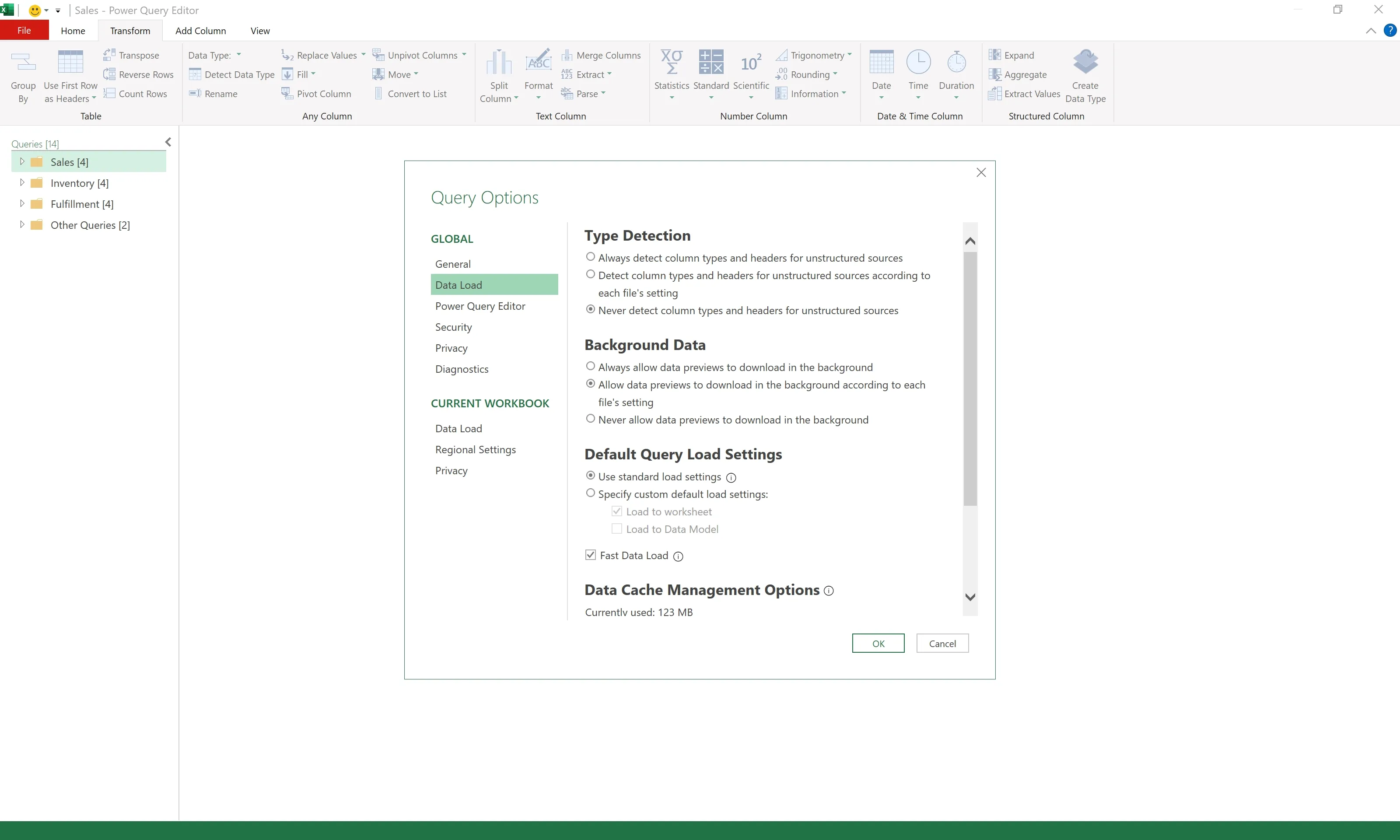
- Excel > Power Query Editor > File > Options and settings > Query Options > GLOBAL > Data Load
- Type Detection: Never detect column types and headers for unstructured sources
- Background Data: Allow data previews to download in the background according to each file’s setting
- Default Query Load Settings: Use standard load settings, Fast Data Load
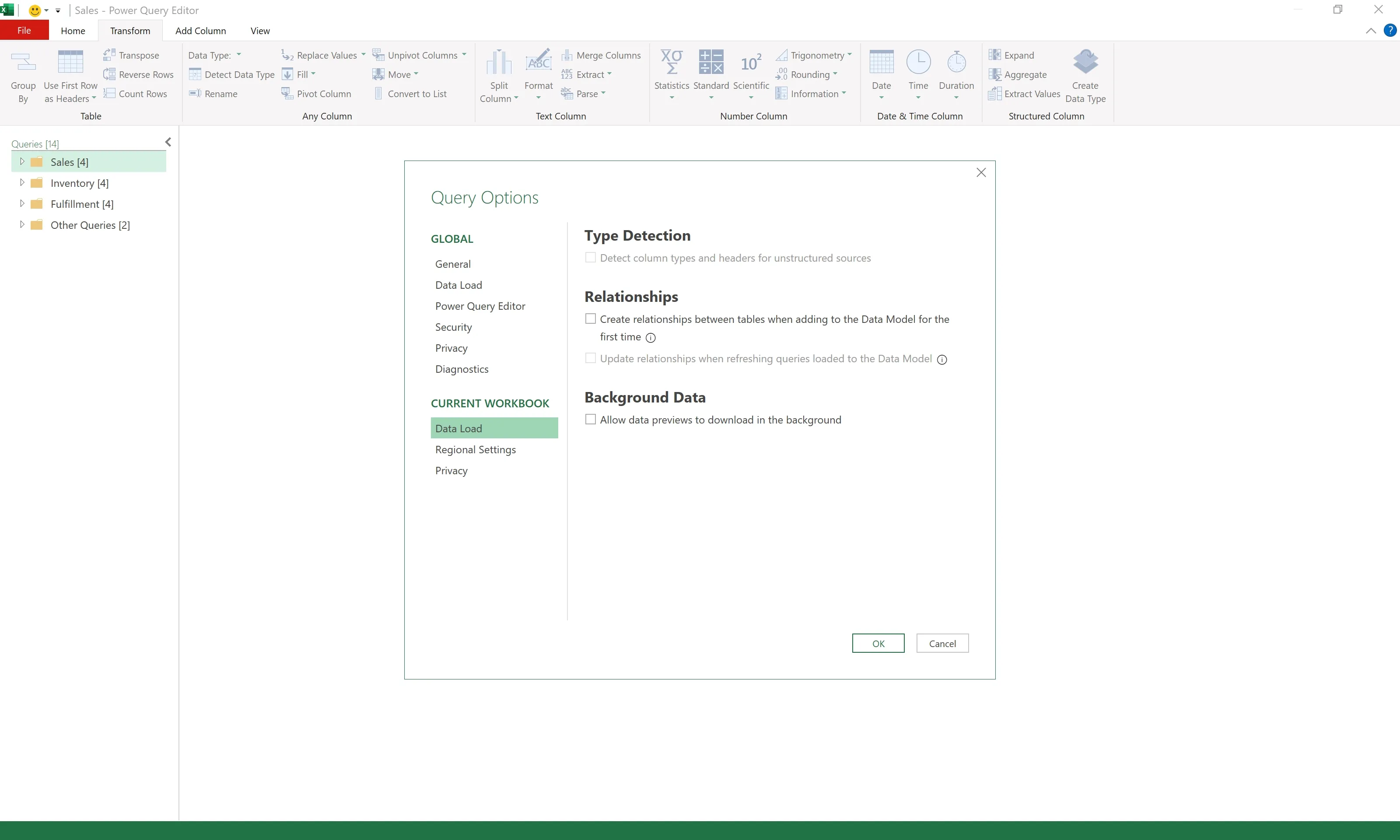
- Excel > Power Query Editor > File > Options and settings > Query Options > CURRENT WORKBOOK > Data Load
- Uncheck all options
Query Properties Settings#
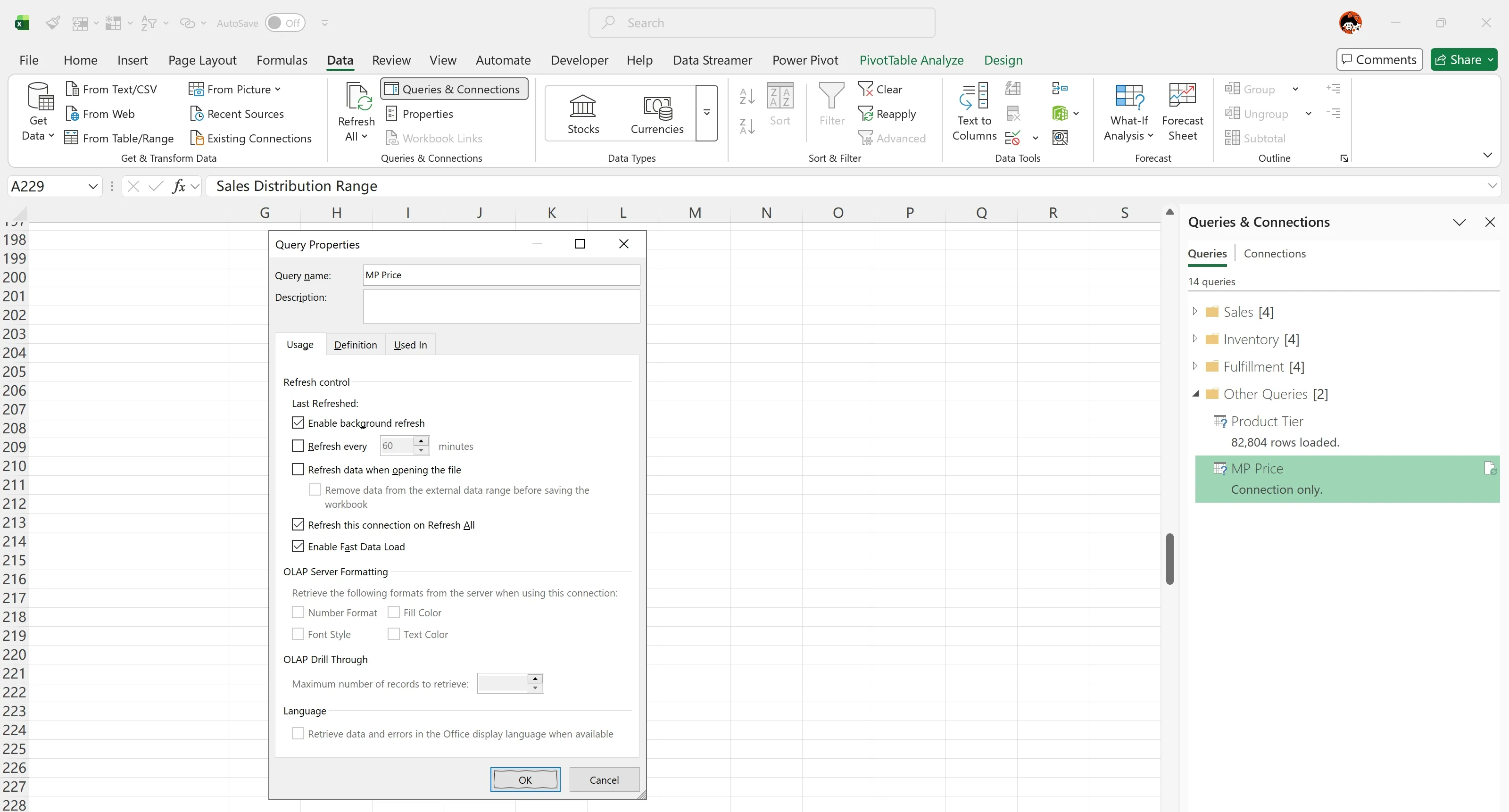
Excel > Data > Queries Connections > Queries > Right-click Menu > Properties…
Uncheck:
- Enable background refresh
Check:
- Refresh on Refresh All
- Enable Fast Data Load