作为独立博客作者,我们经常需要预览、调试文章。但在反复刷新的过程中,自己的访问会无形中虚增浏览量(尤其是刚发布的文章),导致统计数据失真。
本地预览的解决方法可以参考此方案Astro Pure 主题修改记录 - 本地预览防数据污染,几行代码就搞定了,但在线浏览则需要另外处理。
本文将分享如何针对 Waline ↗、Vercount ↗、不蒜子 ↗、Google Analytics ↗ 四种统计服务在在线浏览时实现屏蔽,如果你使用的是其他的统计服务,可以让 AI 参考本文以类似的方式实现。
Waline#
效果:读取文章浏览量但不增加。
方法:
- 在浏览器中安装以下任意一个用户脚本扩展程序:Tampermonkey ↗ / Greasemonkey ↗ / Violentmonkey ↗ / Userscripts(iOS;外区) ↗;
- 新建用户脚本,复制并粘贴下方代码;
- 第 5 行的
@match指在哪生效:请改为自己的博客域名,保留尾部的/*以便匹配所有页面; - 将第 11 行的
ORIGIN改为自己的 Waline 服务端地址。
// ==UserScript==
// @name         Waline 浏览量只读不增加
// @version      1.0
// @description  劫持 Waline 的浏览量递增请求(POST),将其改为只读的 GET 请求
// @match        https://qianling.pw/*
// @run-at       document-start
// @grant        none
// ==/UserScript==

(function() {
  'use strict';
  const ORIGIN = 'https://comment.qianling.pw', PATH = '/api/article';
  const origFetch = fetch;
  window.fetch = async (input, init = {}) => {
    try {
      const url = new URL(input instanceof Request ? input.url : input, location.href);
      const method = (init.method || input.method || 'GET').toUpperCase();
      if (url.origin === ORIGIN && url.pathname === PATH && method === 'POST') {
        const bodyText = init.body ? await new Response(init.body).text() : (input instanceof Request ? await input.clone().text() : '');
        const body = JSON.parse(bodyText);
        if (body.path && body.type && body.action === 'inc') {
          const getUrl = new URL(url);
          getUrl.searchParams.set('path', body.path);
          getUrl.searchParams.set('type', body.type);
          const headers = new Headers(init.headers || input.headers);
          headers.delete('content-type');
          const resp = await origFetch(getUrl.toString(), {
            method: 'GET',
            headers,
            cache: 'no-store',
            credentials: init.credentials || input.credentials || 'same-origin'
          });
          return new Response(await resp.text(), {
            status: resp.status,
            statusText: resp.statusText,
            headers: { 'content-type': resp.headers.get('content-type') || 'application/json;charset=utf-8' }
          });
        }
      }
    } catch(e) { console.warn('[Waline RO]', e); }
    return origFetch(input, init);
  };
})();Vercount、不蒜子#
由于 VerCount 和不蒜子的 api 接口是在一次请求同时完成写入和读取:
客户端发起 POST 请求→服务器端将浏览量计数 +1→返回处理后的浏览量数据给客户端页面显示。
因此无法像 Waline 一样仅读取数据,只能完全阻止脚本加载,缺点是自己访问时看不到浏览量统计了。
方法一:广告拦截扩展程序#
- 在浏览器中安装以下任意一个广告拦截扩展程序:AdGuard(支持电脑端及移动端) ↗ / uBlock Origin(仅电脑端) ↗;
- 将以下规则添加到自定义规则中(移动端勿添加注释):
! 阻止 VerCount 统计脚本加载
||events.vercount.one^$domain=qianling.pw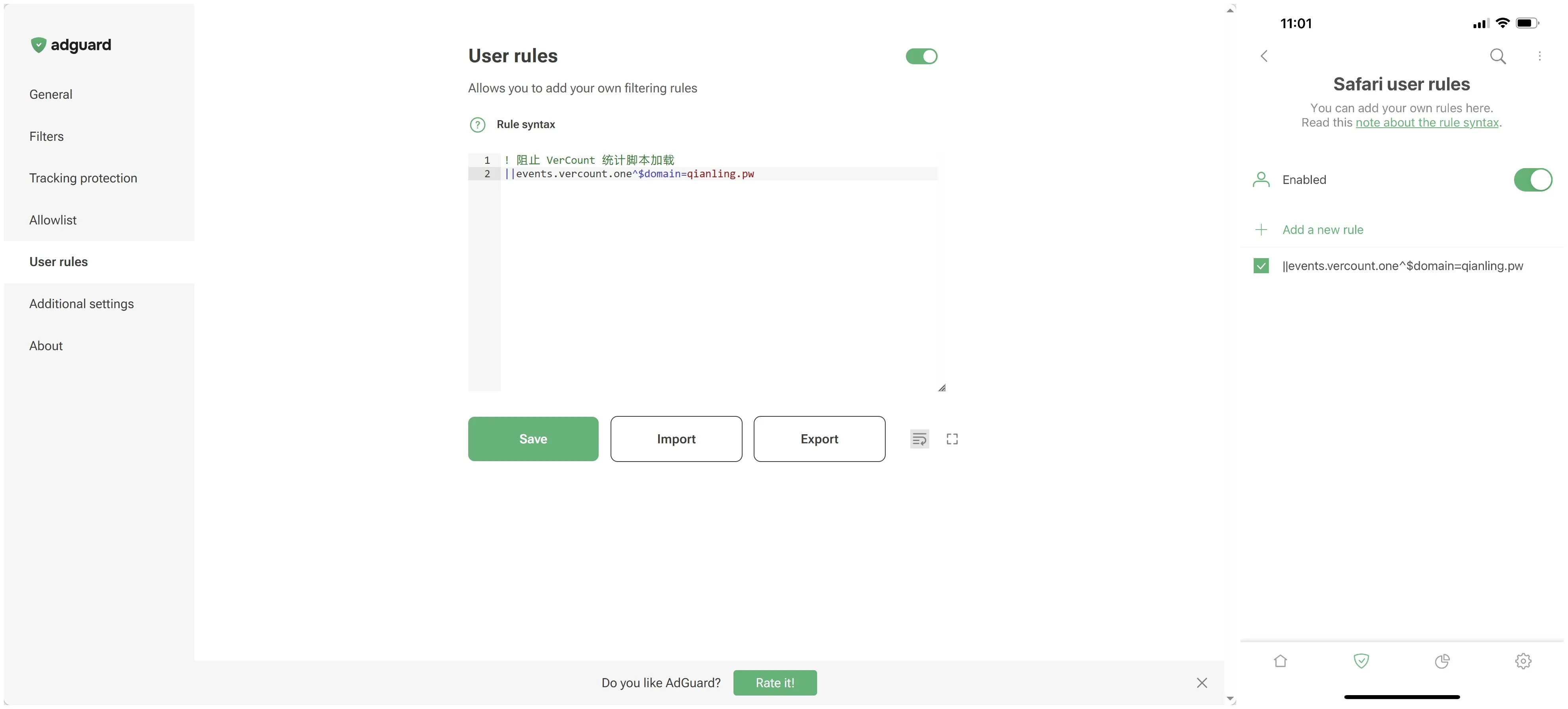
方法二:用户脚本扩展程序#
- 在浏览器中安装以下任意一个用户脚本扩展程序:Tampermonkey ↗ / Greasemonkey ↗ / Violentmonkey ↗ / Userscripts(iOS;外区) ↗;
- 新建用户脚本,复制并粘贴下方代码;
- 第 4 行的
@match指在哪生效:请改为自己的博客域名,保留尾部的/*以便匹配所有页面。
// ==UserScript==
// @name         阻止 VerCount & 不蒜子 统计
// @version      1.0
// @match        https://qianling.pw/*
// @run-at       document-start
// @grant        none
// ==/UserScript==

'use strict';
const BLOCKED = /events\.vercount\.one|cdn\.busuanzi\.cc/;

const origFetch = window.fetch;
window.fetch = (input, init) => {
  const url = input instanceof Request ? input.url : input;
  return BLOCKED.test(url) ? new Promise(() => {}) : origFetch(input, init);
};

const origOpen = XMLHttpRequest.prototype.open;
const origSend = XMLHttpRequest.prototype.send;
XMLHttpRequest.prototype.open = function (method, url, ...args) {
  this._blocked = BLOCKED.test(url);
  return origOpen.call(this, method, url, ...args);
};
XMLHttpRequest.prototype.send = function (body) {
  if (this._blocked) return;
  origSend.call(this, body);
};Google Analytics#
方法一:广告拦截扩展程序#
- 在浏览器中安装以下任意一个广告拦截扩展程序:AdGuard(支持电脑端及移动端) ↗ / uBlock Origin(仅电脑端) ↗;
- 将以下规则添加到自定义规则中(移动端勿添加注释):
! 阻止向 Google Analytics 接口发送数据
||google-analytics.com^$domain=qianling.pw
||analytics.google.com^$domain=qianling.pw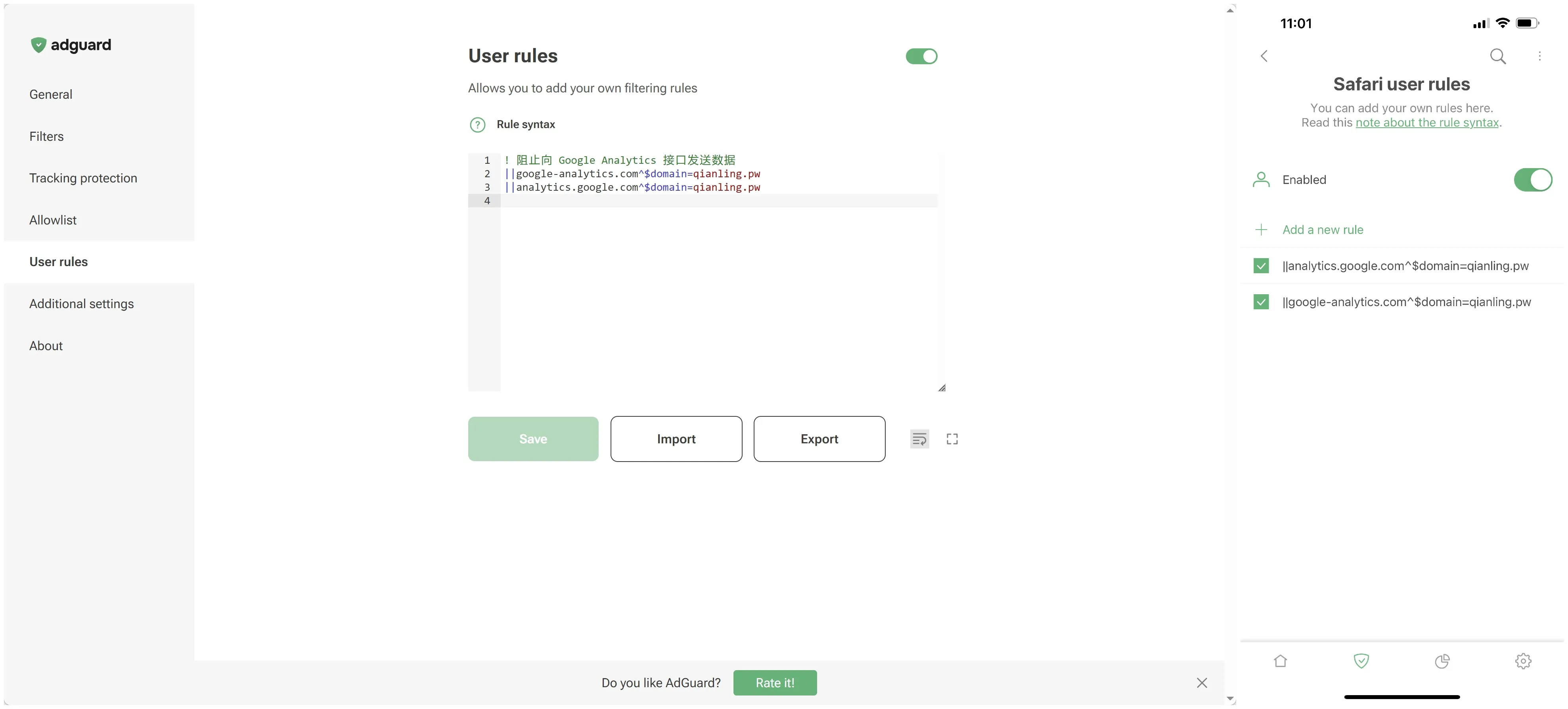
方法二:用户脚本扩展程序#
- 在浏览器中安装以下任意一个用户脚本扩展程序:Tampermonkey ↗ / Greasemonkey ↗ / Violentmonkey ↗ / Userscripts(iOS;外区) ↗;
- 新建用户脚本,复制并粘贴下方代码;
- 第 4 行的
@match指在哪生效:请改为自己的博客域名,保留尾部的/*以便匹配所有页面。
// ==UserScript==
// @name         阻止 Google Analytics 统计
// @version      1.0
// @match        https://qianling.pw/*
// @run-at       document-start
// @grant        none
// ==/UserScript==

'use strict';
const BLOCKED = /google-analytics\.com|googletagmanager\.com/;

const origFetch = window.fetch;
window.fetch = (input, init) => {
  const url = input instanceof Request ? input.url : input;
  return BLOCKED.test(url) ? new Promise(() => {}) : origFetch(input, init);
};

const origOpen = XMLHttpRequest.prototype.open;
const origSend = XMLHttpRequest.prototype.send;
XMLHttpRequest.prototype.open = function (method, url, ...args) {
  this._blockedGa = BLOCKED.test(url);
  return origOpen.call(this, method, url, ...args);
};
XMLHttpRequest.prototype.send = function (body) {
  if (this._blockedGa) return;
  origSend.call(this, body);
};方法三:IP 过滤#
如果你有固定的公网 IP 地址,可以在 Google Analytics 后台设置过滤器,排除来自自己的访问。
如果用的是家庭宽带、手机移动网络、VPN,IP 会频繁变化,不适用此方法。