1. 功能#
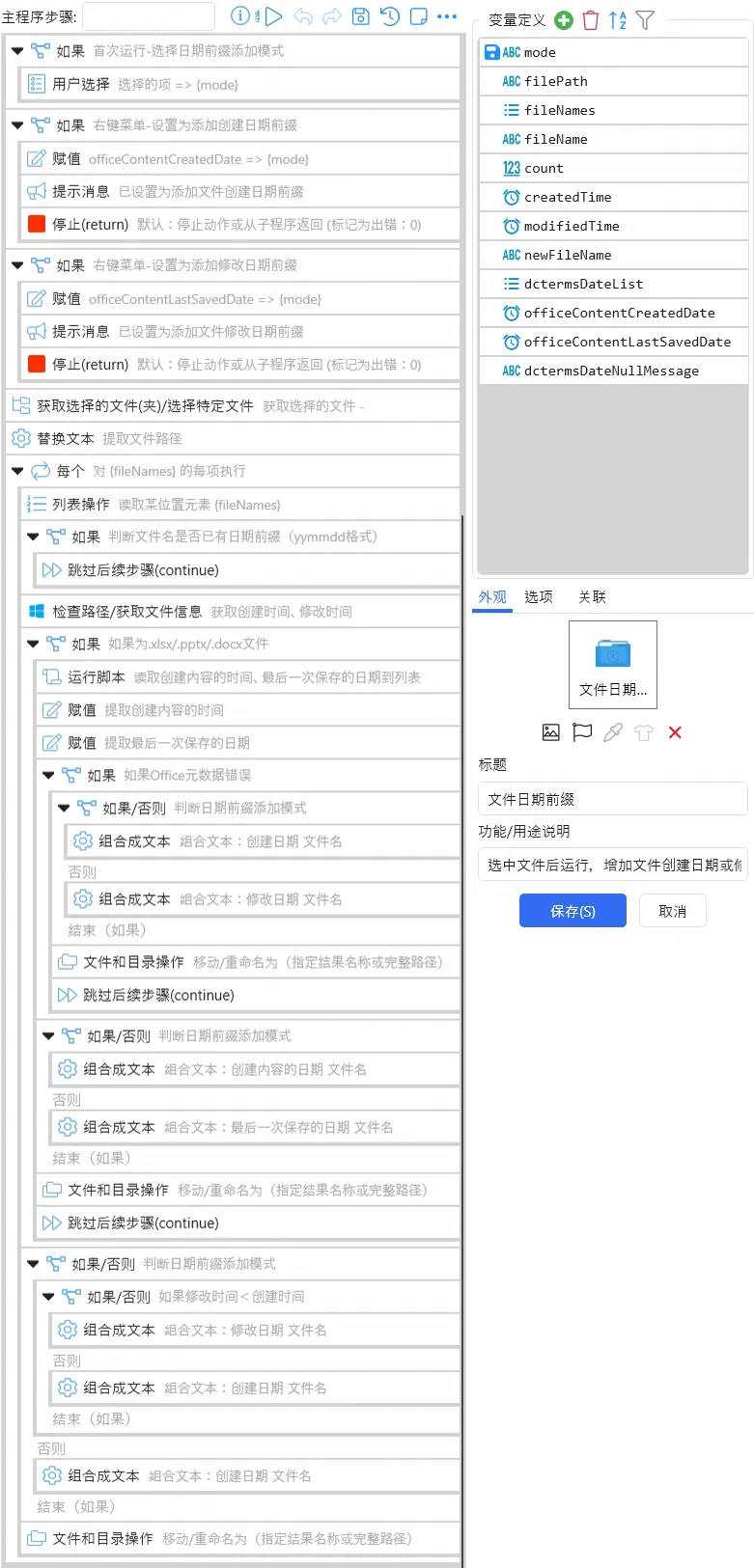
选中文件后运行,增加文件创建日期或文件修改日期前缀(yymmdd格式),支持多文件批量处理,自动跳过已有 yymmdd 格式日期前缀的文件。
2. DEMO#

3. 发布页#
4. 特点#
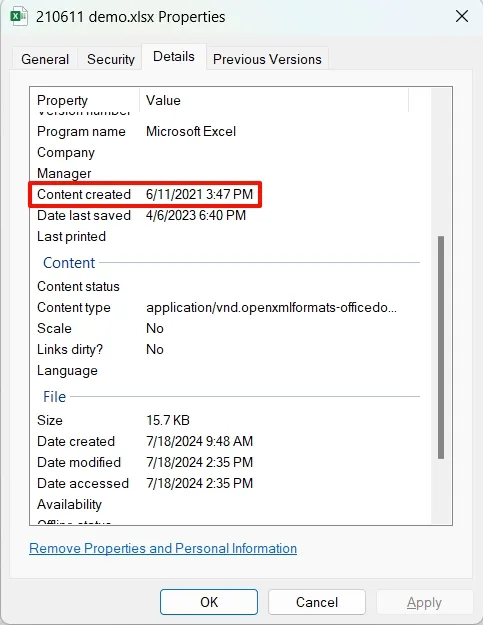
- 针对 Office 文件(.xlsx/.pptx/.docx)特别设计,支持读取创建内容的时间(Content Created)或最后一次保存的日期(Date last saved),但由于 Windows 无接口直接读取 Office 文件元数据,采用略繁琐的方法:将
.xlsx/.pptx/.docx文件类型改为.zip文件,解压到系统临时文件夹Temp,读取.\docProps\core.xml中的dcterms:created及dcterms:modified节点,在读取完成后还原文件类型并删除解压出的临时文件。修改文件名并不涉及文件修改,无任何副作用,请放心使用。
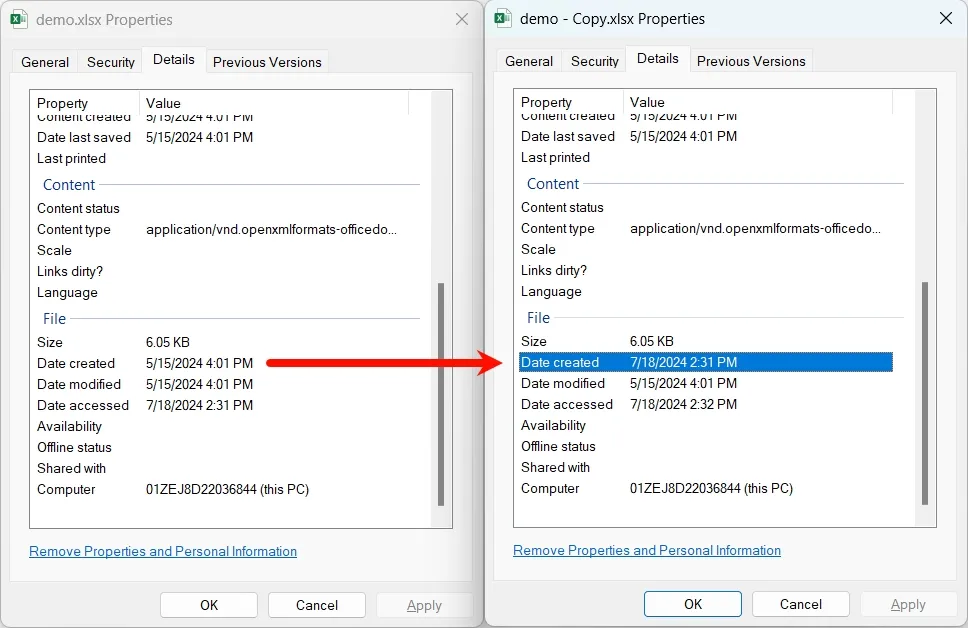
- 针对文件复制导致创建时间被刷新为当前时间的问题(见下图),特别设计逻辑,当
文件修改时间<文件创建时间时,采用文件修改时间作为前缀。
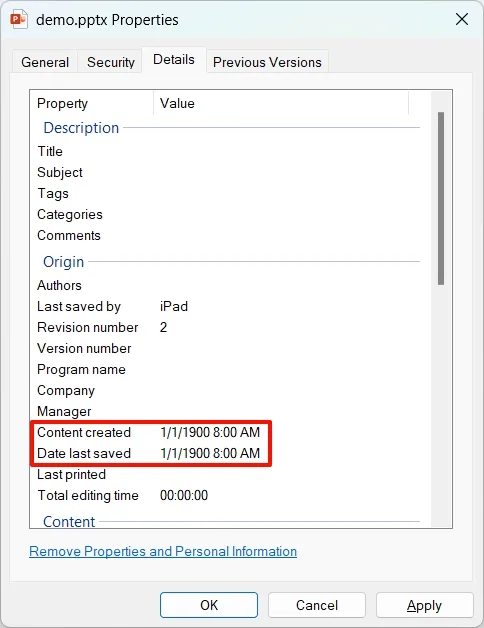
- 如果 Office 元数据错误(见下图),则采用文件创建时间或文件修改时间作为前缀;元数据错误的判断依据:(1)
创建内容的时间(Content Created)或最后一次保存的日期(Date last saved)小于 PC 普及时间 1980 年;(2)元数据中无创建内容的时间(Content Created)或最后一次保存的日期(Date last saved)。
5. 逻辑#
6. 提取 Office 文件元数据的方法#
以读取创建内容的时间(Content Created)为例。
6.1 PowerShell#
$rawFilePath = "{filePath}\{fileName}"
$zipFilePath = $rawFilePath -replace '\.xlsx$|\.pptx$|\.docx$', '.zip'
Rename-Item -Path $rawFilePath -NewName $zipFilePath
$tempDir = [System.IO.Path]::GetTempPath() + [guid]::NewGuid().ToString()
New-Item -Path $tempDir -ItemType Directory > $null
Expand-Archive -Path $zipFilePath -DestinationPath $tempDir
$xmlFilePath = Join-Path $tempDir "docProps\core.xml"
if (Test-Path $xmlFilePath) {
    [xml]$xmlDoc = [io.file]::ReadAllText($xmlFilePath)
    $namespaceManager = New-Object System.Xml.XmlNamespaceManager($xmlDoc.NameTable)
    $namespaceManager.AddNamespace("dcterms", "http://purl.org/dc/terms/")
    $createdDateNode = $xmlDoc.SelectSingleNode("//dcterms:created", $namespaceManager)
    if ($createdDateNode -ne $null) {
        $createdDate = $createdDateNode.InnerText
        Write-Host "$createdDate"
    } else {
        Write-Host ""
    }
}
Remove-Item -Path $tempDir -Recurse -Force
Rename-Item -Path $zipFilePath -NewName $rawFilePath6.2 VBA#
Function GetCreationDate() As Variant
    Dim obj As Object
    Dim creationDate As Variant
    Select Case Application.Name
        Case "Microsoft Excel"
            Set obj = ActiveWorkbook
        Case "Microsoft Word"
            Set obj = ActiveDocument
        Case "Microsoft PowerPoint"
            Set obj = ActivePresentation
    End Select
    creationDate = obj.BuiltInDocumentProperties("Creation Date")
    If Err.Number = 0 Then
        GetCreationDate = creationDate
    Else
        GetCreationDate = ""
    End If
    MsgBox "创建内容的日期为:" & creationDate, vbInformation '调试用
End Function